



A normal PC or laptop can be used for AI, Machine Learning, and Data Science, but its capabilities depend entirely on what you’re trying to achieve. For everyday tasks like using cloud-based tools such as ChatGPT, Google Gemini or GitHub Copilot, or working with small datasets in notebooks, even a mid-range consumer laptop is more than enough. However, the moment you move beyond basic usage, like running local models such as LLaMA 3 or training neural networks, the limitations of consumer laptop quickly become clear. Without a powerful GPU, large RAM capacity, and fast storage, performance can drop significantly.
In short, while a regular system is fine for learning and light workloads, serious AI development demands purpose-built, high-performance hardware. In this post, we will walk you through the best laptops and desktop PCs for AI, machine learning, and data science in 2026, covering everything from GPU performance and VRAM capacity to real-world usability and availability in Nepal, so you can make the right choice for your workflow and budget.
What to Look for in a Laptop or PC for AI, Machine Learning & Data Science?
Choosing the right laptop for AI, Machine Learning, and Data Science isn’t just about buying the most expensive hardware, it’s about understanding which components actually drive performance for your specific workload. The wrong specs don’t just slow you down; they can make certain tasks impossible. Before we get to our top picks, let’s look at what’s inside these device and why each part matters.
Graphics Processing Unit (GPU)
The GPU is the backbone of modern AI workloads because it handles the parallel processing required for training and running models in frameworks like TensorFlow and PyTorch. If you plan to run models locally such as LLaMA 3, a GPU with high VRAM is essential. VRAM determines how large a model or dataset your GPU can load and process at once, low VRAM can lead to crashes, slow performance, or inability to run larger models, while higher VRAM allows smoother training, faster inference, and better overall performance. NVIDIA GPUs are the industry standard due to CUDA support, with high-end options like NVIDIA RTX 5090 delivering top-tier performance for training, fine-tuning, and inference.
Central Processing Unit (CPU)
The CPU is the core of your system’s overall performance and plays a crucial role in AI, Machine Learning, and Data Science workflows. While the GPU handles heavy model training and parallel computations, the CPU manages everything else that keeps your workflow running smoothly, especially data preprocessing, feature engineering, and pipeline execution in tools like Pandas. A strong multi-core CPU improves performance in tasks such as data cleaning, running scripts, handling APIs, and managing multiple processes at the same time. In AI development, this means faster preparation of datasets before they are fed into models like LLaMA 3, resulting in a more efficient workflow overall. For best results, choose modern high-core processors such as Intel Core Ultra or AMD Ryzen 7/9 series, which provide the speed and multitasking capability needed for serious data and AI workloads.
RAM
RAM is one of the most important components for AI, Machine Learning, and Data Science because it directly affects how much data your system can handle at once. It is used for loading datasets, running notebooks, and multitasking across tools like Pandas and Jupyter environments.
- 32GB RAM – Good for beginners, small datasets, and learning AI/ML concepts
- 64GB RAM – Recommended for most data science and machine learning workflows
- 96GB+ RAM – Ideal for large datasets, heavy preprocessing, and advanced AI workloads
Higher RAM allows you to work with large datasets and complex notebooks smoothly without lag, slowdowns, or crashes, making your overall workflow much more stable and efficient.
Storage
Storage plays a key role in AI, Machine Learning, and Data Science because projects often involve large datasets, model files, and training checkpoints. Fast storage ensures quick data access, faster loading times, and smoother overall performance when working with tools like Pandas or running model pipelines. An NVMe SSD is a must-have for modern AI workflows because it offers extremely fast read/write speeds compared to traditional drives. For capacity, 1TB is the minimum, while 2TB or more is recommended for serious projects involving large datasets or multiple models.
Advanced Colling
Cooling is a crucial factor in AI, Machine Learning, and Data Science systems because these workloads keep the CPU and GPU under heavy load for long periods. Without proper cooling, the system can overheat and automatically reduce performance, which slows down training and processing tasks.
For laptops, good cooling systems include advanced thermal designs such as multiple fans, vapor chamber cooling, and efficient airflow that help maintain stable performance even under heavy workloads.
For desktops, cooling becomes even more important. High-performance setups often use powerful air cooling or liquid cooling systems, along with well-designed case airflow, to manage heat from components like GPUs and CPUs during intensive tasks.
Best Laptops for AI, Machine Learning & Data Science (2026)
These laptops were shortlisted based on what matters most for AI and machine learning, GPU performance under load, VRAM capacity, thermal design, and compatibility with modern frameworks and their availability in Nepal through authorized retailers.
Acer Predator Helios 18 AI 2025
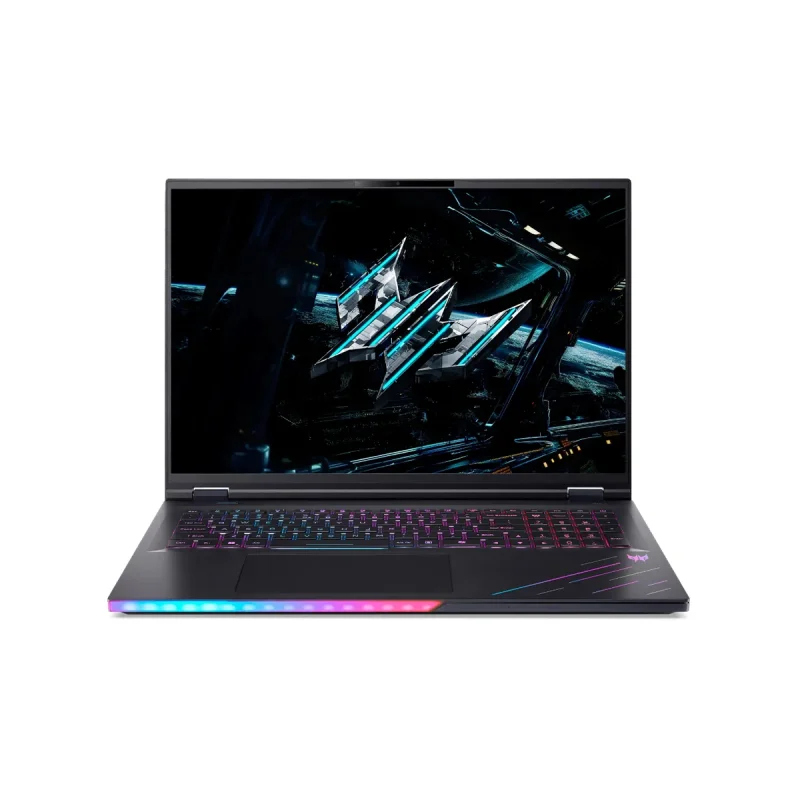
Best for: AI / Deep Learning
Ultra 9 275HX | 96GB RAM | 2TB SSD | RTX 5090 24GB | 18″ WQUXGA IPS
The RTX 5090 with 24GB of fast GDDR7 memory is the most powerful GPU, letting you train large AI models and run complex deep learning tasks without hitting memory limits. The Intel Core Ultra 9 275HX has a dedicated AI chip (NPU) built in, which handles AI calculations faster and more efficiently alongside the GPU. With 96GB of RAM, you can load and process massive datasets entirely in memory without slowdowns. Together, these three components make it essentially a portable AI workstation, capable of work that normally requires a full desktop setup.
The 2TB NVMe SSD ensures your datasets and model files load almost instantly, keeping your workflow fast from start to finish. With the 18″ WQUXGA Mini LED display in this acer laptop, you also get a stunning, color-accurate screen to visualize your data, monitor training progress, and review results with exceptional clarity.
ASUS ROG Zephyrus G16 (2026) GU606
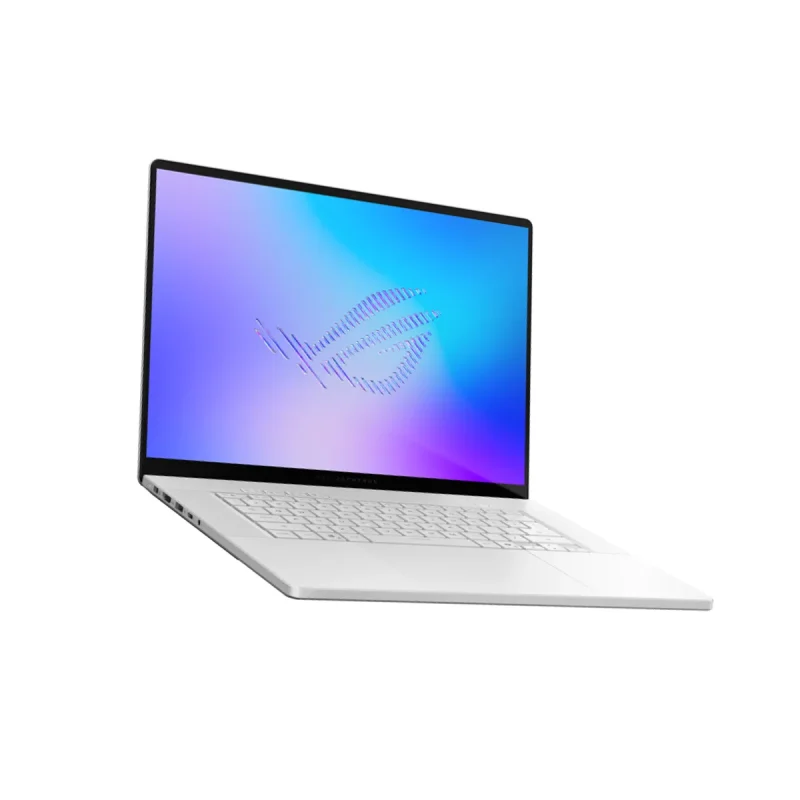
Best for: Machine Learning / Data Science
Ultra 9 386H | 64GB RAM | 2TB SSD | RTX 5070 Ti 12GB | 16″ OLED
The RTX 5070 Ti with 12GB of fast GDDR7 memory runs at up to 140W, pushing it close to desktop-level performance, letting you train machine learning models and run data science workloads. The Intel Core Ultra 9 386H comes with a dedicated NPU rated at 50 TOPS, which offloads AI inference tasks independently so your CPU and GPU stay focused entirely on training and processing. With 64GB of ultra-fast LPDDR5X RAM at 8533MHz, you can load enormous datasets without any slowdown. The 2TB PCIe 4.0 NVMe SSD ensures your datasets, model checkpoints, and project files load almost instantly, keeping your entire data pipeline fast from start to finish.
This is the ideal portable asus laptop for everyday ML engineers and data scientists who need serious power without carrying a bulky 18-inch laptop.
Dell Alienware 16 Aurora AC16250
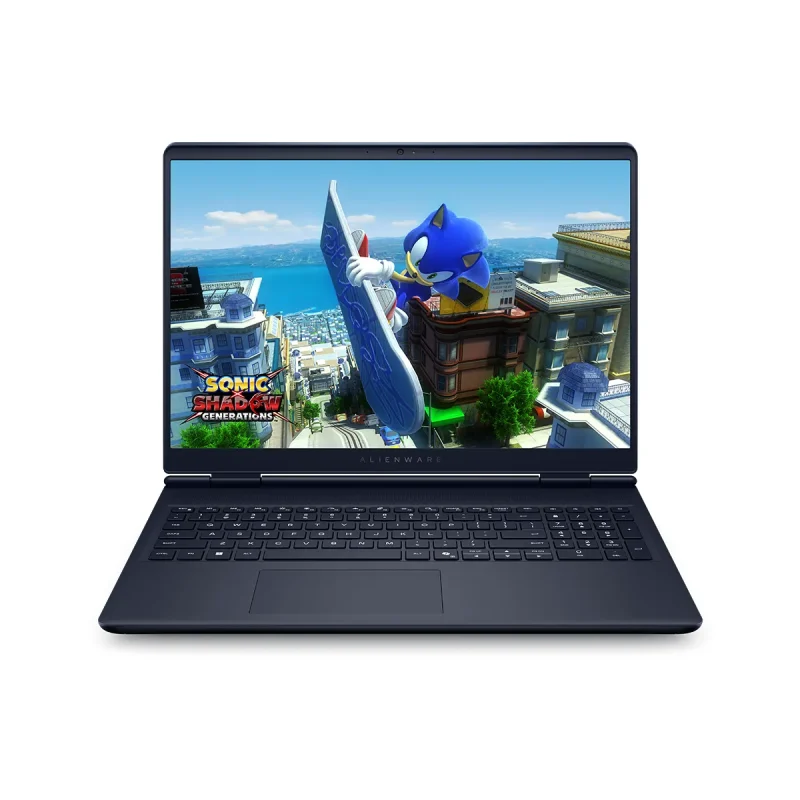
Best for: Data Science / Analytics
Core i9 270H | 32GB DDR5 | 1TB SSD | RTX 5070 8GB | 16″ WQXGA IPS
The RTX 5070 with 8GB GDDR7, built on NVIDIA’s Blackwell architecture, delivers a strong performance boost for everyday machine learning tasks and small to mid-sized model training. Paired with the Intel Core 9 270H (up to 5.4GHz), it efficiently handles CPU-intensive workloads like data preprocessing, feature engineering, and scikit-learn models.
With 32GB DDR5 RAM (5600 MT/s), you can work on large datasets, run multiple notebooks, and manage complex pipelines smoothly. A 1TB NVMe SSD ensures fast data access and quick load times, keeping your workflow efficient and uninterrupted. You also get a sharp, color-accurate screen in this dell laptop that makes long data science sessions easier on the eyes while keeping your charts, visualizations, and dashboards looking exactly as they should.
Best Desktop PCs for AI, Machine Learning & Data Science (2026)
For AI, machine learning, and data science, desktop PCs deliver unmatched performance. Unlike laptops, they run at full power without throttling, making them ideal for training models, processing large datasets, and handling demanding workloads. If you’re serious about AI in 2026, a powerful desktop setup can save time and boost productivity.
Acer Predator Orion 5000 Gaming Desktop PC
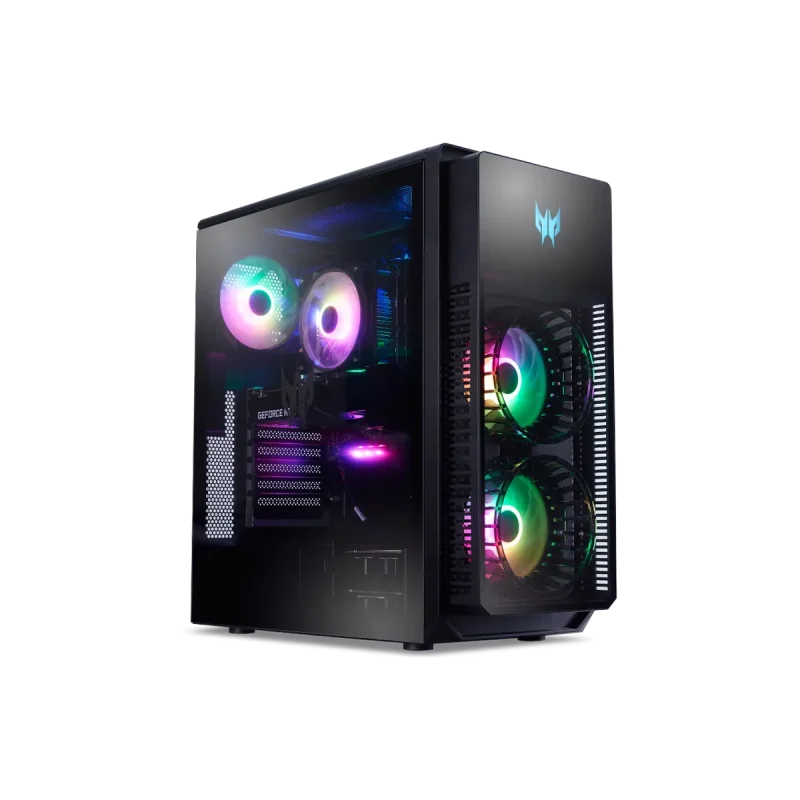
Best for: Machine Learning / Data Science
Ultra 7 265F | 32GB DDR5 | 1TB SSD | RTX 5080 16GB GDDR7
The Acer Predator Orion 5000 is best suited for machine learning, thanks to its RTX 5080 16GB GDDR7 GPU, which runs at full desktop power and benefits from improved Tensor Cores for faster training. Paired with the Intel Core Ultra 7 265F and 32GB DDR5 RAM, it handles data preprocessing and model training efficiently. It also performs excellently for data science tasks, with enough memory for tools like pandas, NumPy, and Jupyter, along with fast NVMe storage for quick data access. For AI and deep learning, it works well with mid-sized models such as CNNs and smaller transformers. One key drawback of this acer desktop is the 32GB RAM, which may feel restrictive for heavier workloads, but upgrading to 64GB would significantly improve its overall capability as an AI workstation.
Dell Alienware Aurora Gaming Desktop ACT1250
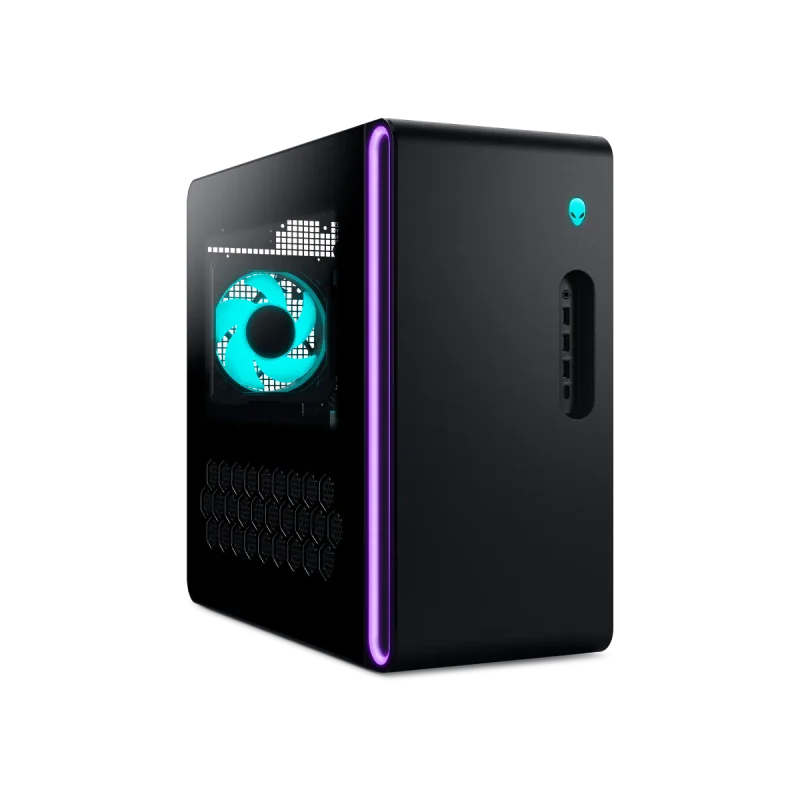
Best for: AI / Deep Learning
Ultra 9 285K | 64GB DDR5 RAM | 2TB SSD | RTX 5080 16GB GDDR7
The Alienware Aurora is a strong option for AI and deep learning, powered by the Intel Core Ultra 9 285K and RTX 5080 16GB GDDR7 running at full desktop performance. With 64GB DDR5 RAM, it can handle model training, fine-tuning, and typical AI pipelines reliably. It also performs well for machine learning tasks, allowing large datasets to be loaded into memory and supporting multiple experiments without much slowdown, while the 2TB NVMe SSD provides fast storage and enough space for projects. For data science, the dell desktop runs tools like pandas, SQL, and scikit-learn smoothly, even with larger datasets. One limitation to keep in mind is the 16GB VRAM on the RTX 5080, which may become restrictive for very large models or more demanding workloads where higher VRAM would be beneficial.
Laptop vs Desktop: Which Should You Choose for AI, ML & Data Science?
Choosing between a laptop and a desktop for AI, machine learning, and data science is not just about performance, it is about how and where you work. Both have genuine strengths, and the right choice comes down to your workflow, your workspace, and how seriously you are pushing your hardware. Here is an honest breakdown to help you decide.
| Choose laptop IF | Choose Desktop IF |
|---|---|
| You move around frequently. | You work from a fixed desk setup every day. |
| You need one device for everything like work, presentations & others. | You train large AI models locally and need sustained, unthrottled GPU power. |
| You do data science and everyday ML work on the go. | You want maximum RAM and storage that is easy and cheap to upgrade. |
| You attend meetings, classes, or client presentations regularly. | You run overnight training jobs that need full desktop wattage continuously. |
Frequently Asked Questions
What is the most important spec to look for in a laptop for AI and machine learning?
VRAM is the single most important spec. The more VRAM your GPU has, the larger the models you can train locally. Aim for a minimum of 12GB VRAM for serious ML work, and 16GB or more for deep learning and large model fine-tuning.
Is 16GB RAM enough for data science and machine learning in 2026?
16GB is workable for beginners and light tasks, but it will slow you down quickly when working with larger datasets or running multiple tools simultaneously. 32GB is the recommended minimum for comfortable data science work, and 64GB or more for heavy AI and ML workflows.
Do I need an NVIDIA GPU for AI and machine learning?
For most serious AI and deep learning work, yes. NVIDIA GPUs support CUDA, which is the standard framework most ML libraries like PyTorch and TensorFlow are built around. Apple Silicon is a capable alternative for data science and lighter ML work, but NVIDIA remains the gold standard for deep learning.
Can I use a gaming laptop for machine learning and data science?
Gaming laptops like the Acer Predator Helios 18 AI and ASUS ROG Zephyrus G16 are among the best options for ML and data science precisely because they pack high-end NVIDIA GPUs, large RAM, and fast storage at a more accessible price than dedicated workstation laptops.
Is a desktop better than a laptop for AI and deep learning?
For pure performance, desktops are better because they run at full power without slowing down, especially during long AI training tasks. But if you need portability, high-end laptops like the Acer Predator Helios 18 AI with RTX 5090 are still powerful enough for serious AI work.
Should I buy a laptop or desktop for data science as a student
A laptop is almost always the better choice for students. Portability matters in university settings, and a well-specced laptop like the ASUS ROG Zephyrus G16 or Dell Alienware 16 Aurora handles all data science coursework, ML projects, and personal use in one device.


